
Building Bloomline
My first game.
Built with AI.
An experiment in design,
one iteration at a time.
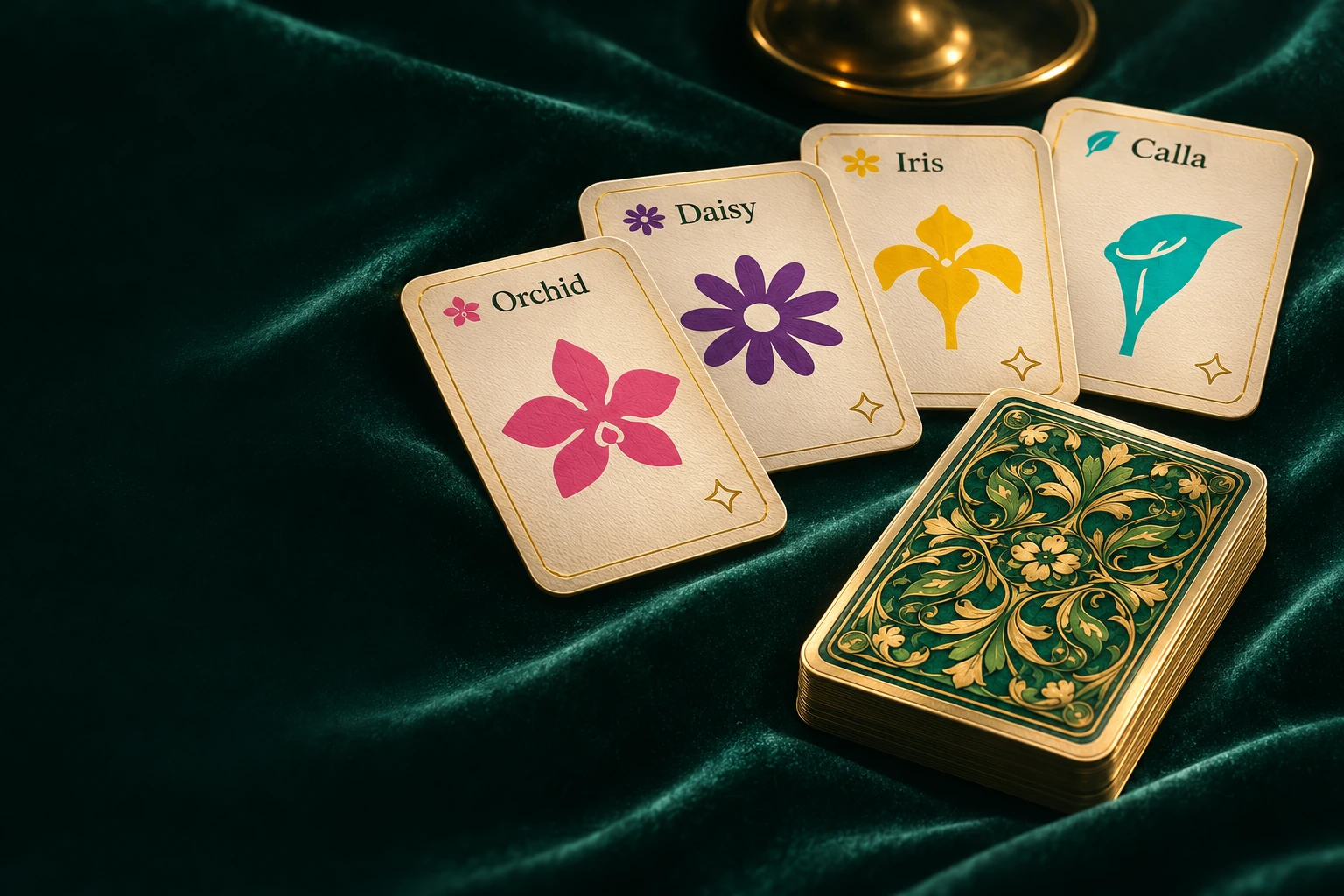
Editorial illustration
Bloomline is my first video game, and one of my experiments in designing with AI. I wanted visitors to my website to have something to play. That became a botanical card game, and a way to explore how far I could take an idea with Codex.
I used AI to explore the visual identity, develop the game, and work through revisions. imagegen gave me alternatives to react to; interactive studies made satin, paper and foil something I could compare on screen. My part was choosing a direction, pointing out what felt wrong, and asking for another pass.
Three ways to finish a card
Something I could
compare.
The same flowers, colours and card sizes, with three different surface treatments. Keeping those constants made the differences easier to judge.
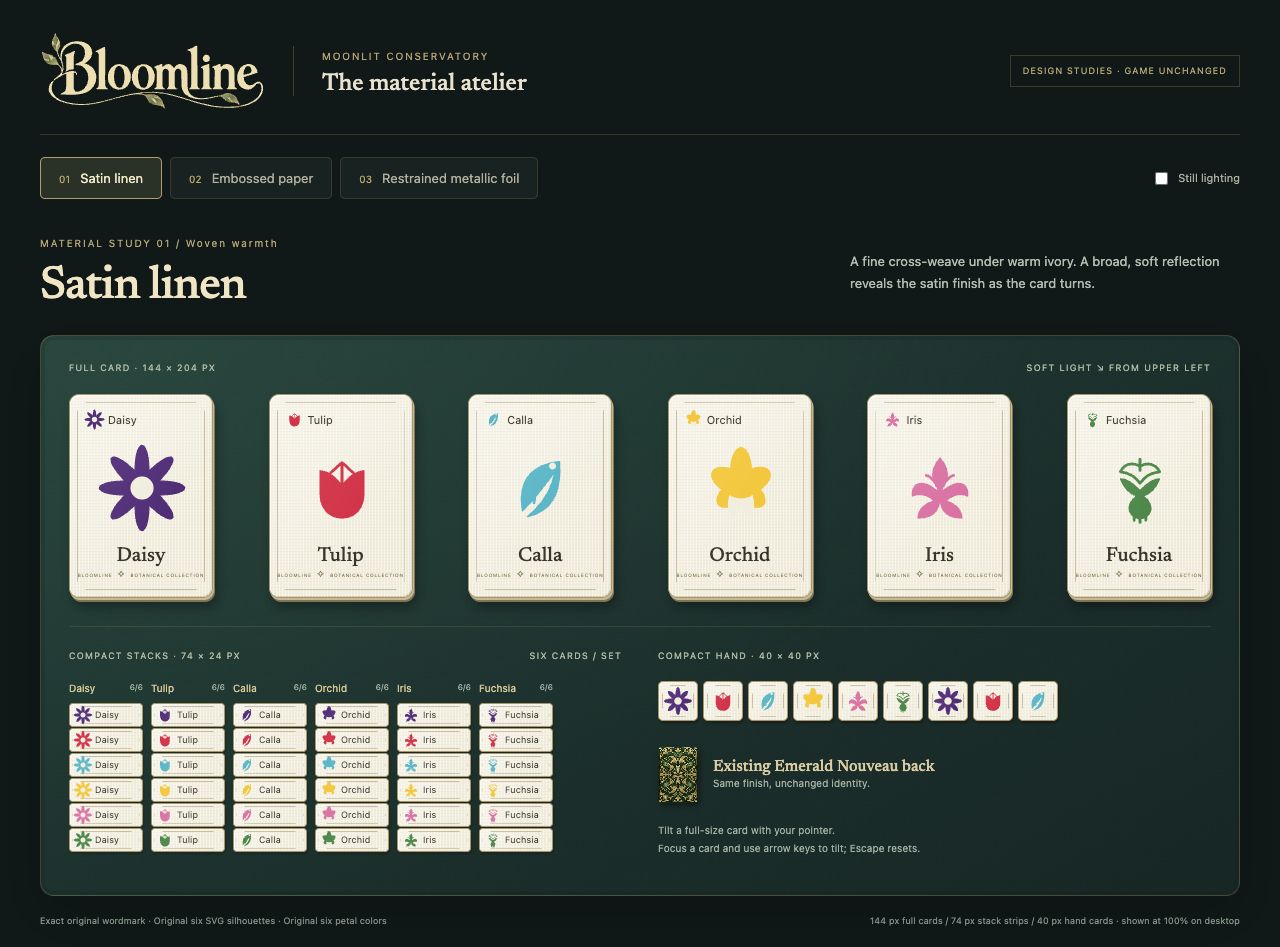
Satin linen
A fine weave and a broad, soft reflection.
Used for ordinary cards
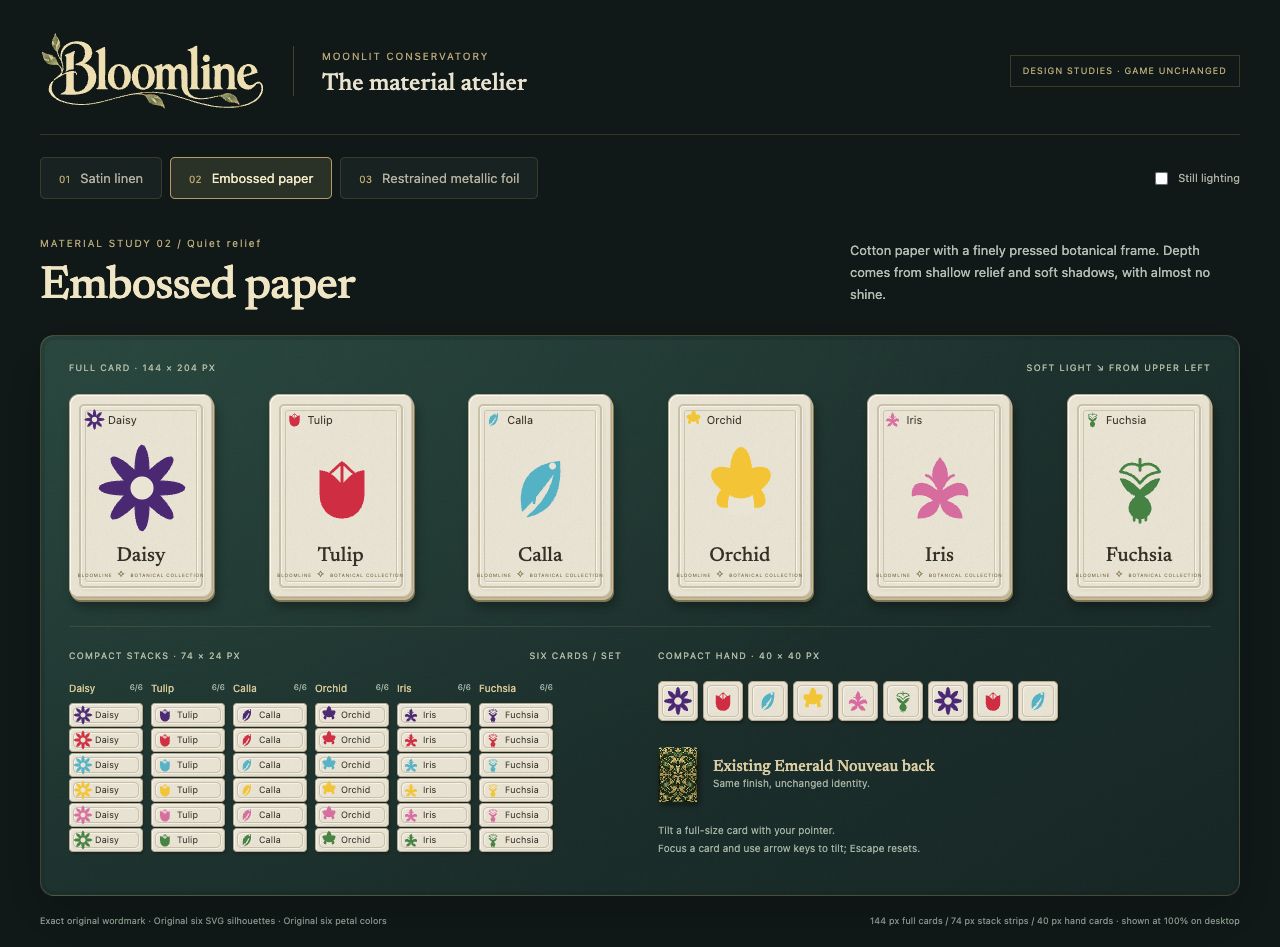
Embossed paper
Shallow relief and soft shadows, with almost no shine.
An explored alternative
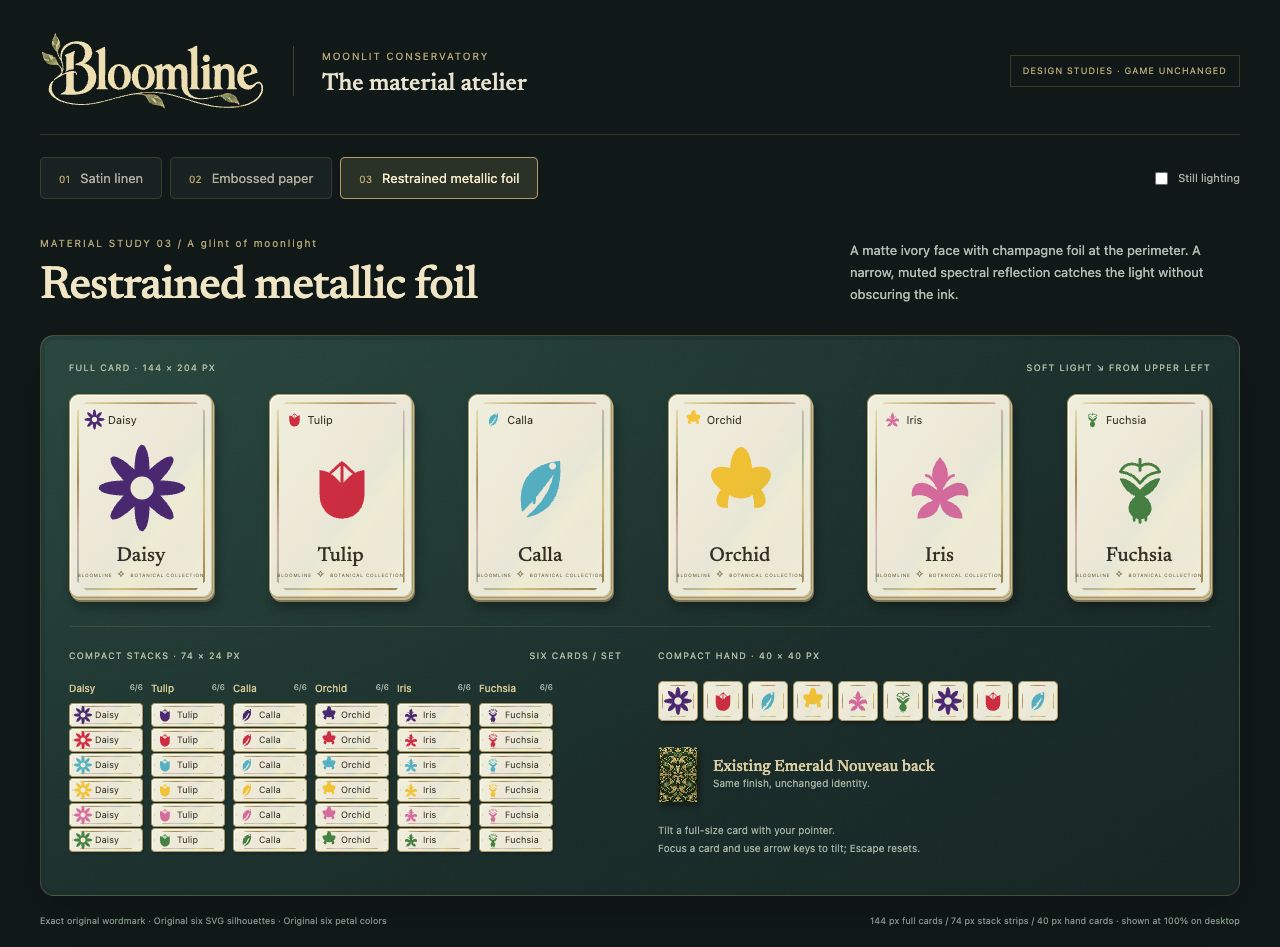
Restrained foil
A narrow glint around an ivory face.
Reserved for scored Blooms
I chose satin linen for everyday play. Foil became a signal for a committed Full Bloom, giving the finish a role in the game.
Details from the original interactive CSS/SVG studies, October 29. Each image opens the complete study, including compact stacks and hand cards.
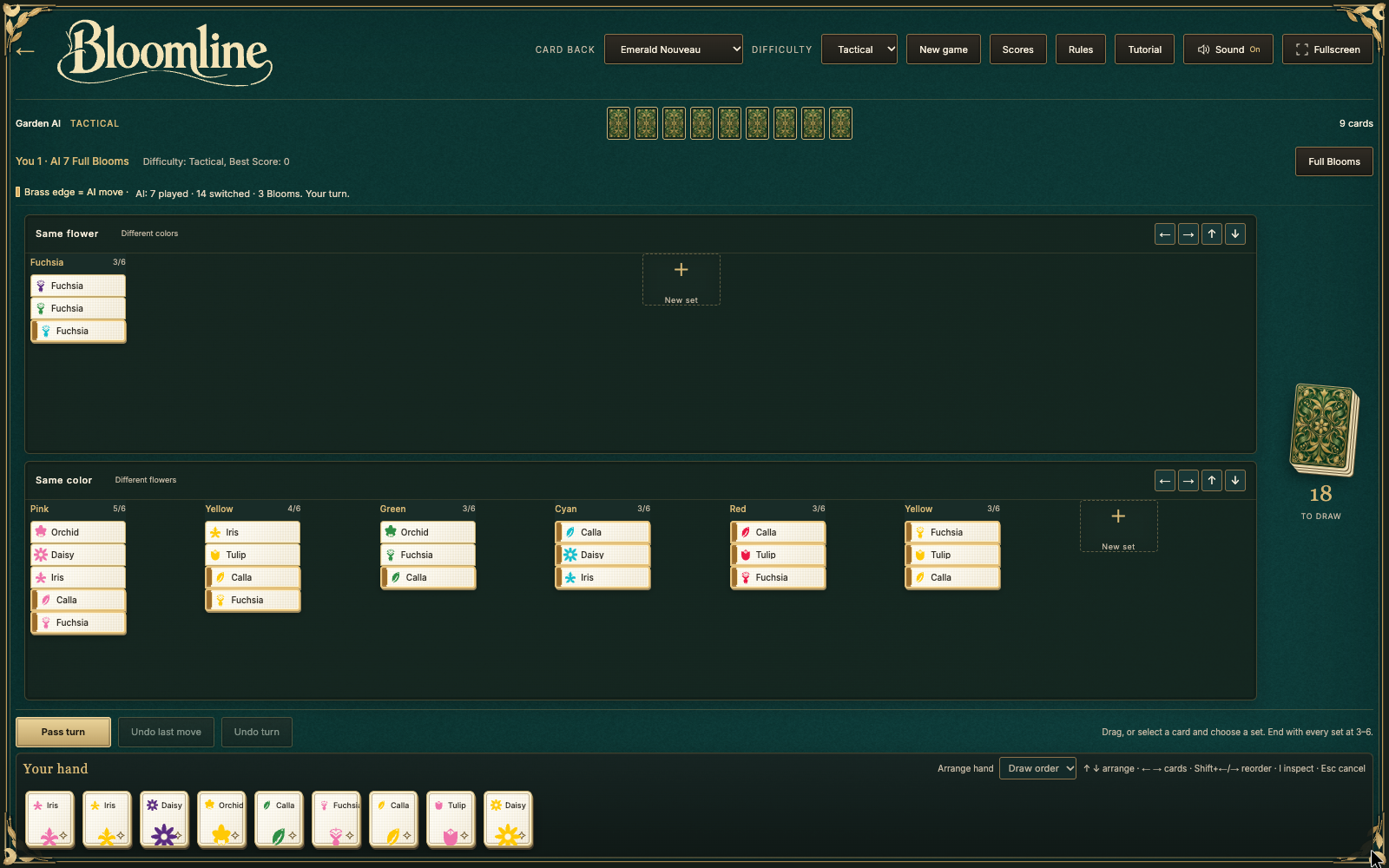
- Same flower. Different colours form a set.
- Same colour. Different flowers form a set.
- Your hand. Drag cards, or select and place them.
Actual local match capture from the showcase recording. Numbered callouts are editorial annotations. Inspect full screenshot
The working loop
Generate. Try it.
Look again.
That became the working loop: ask, compare, build, check, repeat. Skills gave the AI reusable instructions for particular jobs. Playwright supported browser checks and recording; HyperFrames supported the film and its audio workflow. For this article, Product Design’s ideate and image-to-code skills took three visual directions through to this page.
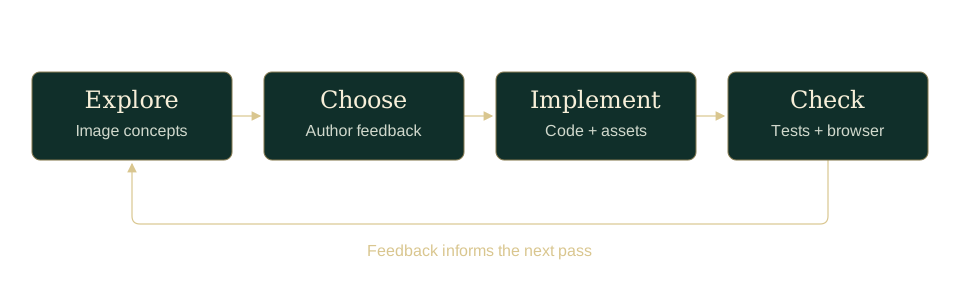
- ExploreAI image concepts
- ChooseAuthor feedback
- ImplementCode and assets
- CheckTests and browser review
One loop, up close
Make room
for the game.
“Size of cards in hand could be scaled down more in general to make the play area bigger.”
My feedback during the build · October 29
- 01 / Notice
Too much navigation
My feedback called out hidden columns and six-card stacks that did not fit.
- 02 / Revise
Change the proportions
Smaller hand cards and responsive stack rows made more of the playable state visible.
- 03 / Check
Use a crowded board
A six-card-stack fixture checked card visibility and hand fit across five window sizes.
Editorial summary of a documented iteration. Local browser checks, not a usability study.
Earlier · 420 × 588
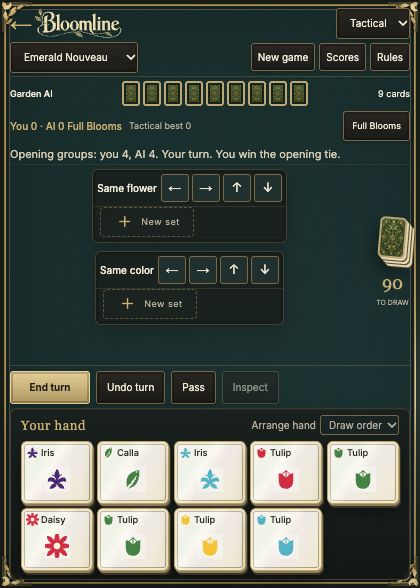
Later · 420 × 588
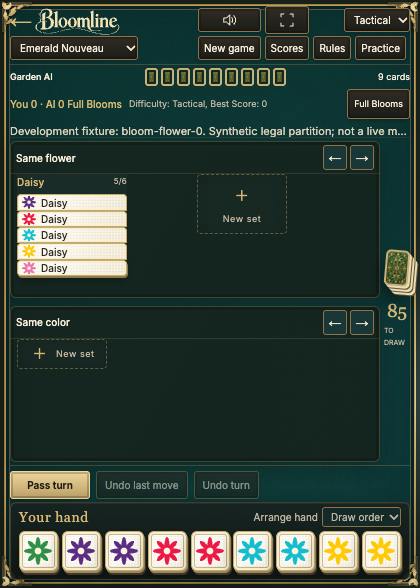
3 · Fullscreen access. A later addition beside the compact toolbar.
Saved captures from October 29 and November 2, shown at equal scale. Different game states: compare the controls and hand layout, not the cards in play. The later image uses a synthetic fixture. Neither is a physical-phone test.
What the browser check established
The crowded-board check recorded all stack cards visible and the hand fitting at 320 × 568, 420 × 588, 570 × 535, 768 × 768 and 1024 × 768. These are layout checks; they do not establish how comfortable the game is to use.
The choices beneath the finish
Keep the next
move readable.
AI made it possible to put several directions in front of me and keep developing the one I chose. Each version gave me something more specific to ask for. A card could look good on its own and still become difficult to read in a crowded hand. That meant moving between images, working screens and browser checks. The skills helped structure those jobs, while my feedback connected one pass to the next. Readable labels, compact stacks and reduced-motion behaviour all needed attention beyond the initial image.
There are two kinds of AI in this story. The AI helping me build was part of the design process. The computer opponent is game logic, limited to its own hand and public information. Even there, a search timeout cannot prove that no move exists.
- 6
- flowers
- 6
- colours
- 108
- cards
Three copies of every flower–colour pairing.
See it in motion · 45 seconds
A turn in the garden.
Music: “Garden Music” by Kevin MacLeod (incompetech.com) · Creative Commons Attribution 4.0.
Opening 45 seconds excerpted, with a 1.5-second fade-in and 4-second fade-out. Added soundtrack; not captured game audio.
Open film in a separate player · Download MP4
What the film shows
Dealing, matching by flower and colour, switching and repairing sets, a Full Bloom collection, and Garden AI placements. Real local game and tutorial footage; tutorial shots are sped up. This close-up edit keeps the original 45-second timing.
That is what I wanted to explore: how AI could help me move between an idea, a visual direction and something playable. Bloomline still needs human playtesting. For a first game, it has given me plenty to keep working on.